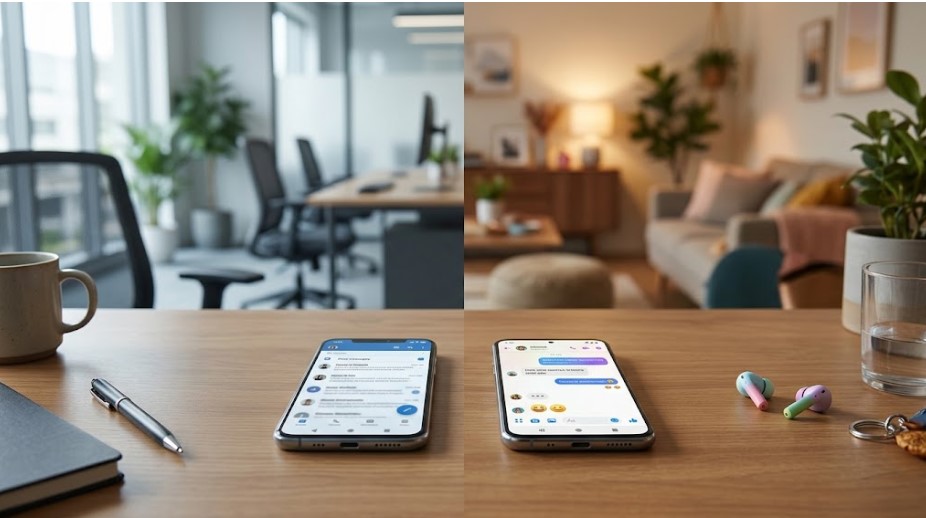
Business Texting App vs. Personal Phone: Which Is Better?
What Is the Difference Between a Business Texting App and a Personal Phone?
Is It Okay to Text Customers From a Personal Phone?
What Are the Risks of Texting Customers From a Personal Phone?
Customer history leaves when people leave.
Your personal number becomes public.
What Does a Business Texting App Do That a Personal Phone Cannot?
What About a Second SIM or a Free Second-Number App?
When Does a Personal Phone Still Make Sense?
Business Texting App vs. Personal Phone: The Cost Question
A business texting app is better than a personal phone for almost every business that texts customers because it gives the business its own number, a shared record of every conversation, and consent and automation tools that a personal phone lacks. A personal phone can work for a solo owner with a handful of clients, but it breaks down the moment a second person needs to see a conversation.
Customers already prefer texting. According to the Pew Research Center, about 91% of U.S. adults own a smartphone, so a text reaches nearly everyone you serve. The real question is not whether to text, but which number and which tool the text should come from. At SERTBO, we have helped small businesses set up texting since 2015, and this guide lays out the trade-offs so you can make the call yourself.
What Is the Difference Between a Business Texting App and a Personal Phone?
A business texting app sends and receives SMS and MMS from a phone number the business owns, while a personal phone texts from a number tied to one person and one device. That single difference in ownership drives everything else: who can see the messages, where they are stored, and what happens when that person is unavailable.
A business texting app usually runs on a virtual phone number or a text-enabled landline or VoIP number. The same number can be used from a mobile app, a desktop browser, or both, and by multiple team members at once.
A personal phone uses the native messaging app on an iPhone or Android device. Messages live on that handset and in the owner's personal cloud backup, next to family group chats and personal photos.
Side-by-side comparison
Factor | Personal phone | Business texting app |
Who owns the number | The individual | The business |
Conversation history | Stored on one device and personal cloud | Stored in a shared business account |
Team access | One person only | Shared inbox for the whole team |
Privacy | Personal number is exposed to every customer | Personal number stays private |
After-hours handling | Manual; customers text whenever | Auto-replies and business-hours rules |
Consent and opt-out tracking | None built in | Opt-out keywords handled and logged |
Carrier registration (A2P 10DLC) | Not available | Supported for business messaging |
Automation | None | Templates, scheduled texts, follow-ups |
Integration with CRM and payments | None | Often built in or connected |
Upfront cost | $0 extra | Monthly subscription |
Is It Okay to Text Customers From a Personal Phone?
Texting customers from a personal phone is legal in most cases, but it is rarely a good long-term setup. It works for a one-person business with low message volume, no employees, and no regulated customer data. Beyond that point, the risks grow faster than the convenience.
The problem is not the phone itself. A personal number was built for person-to-person conversations, and business texting is a different category of traffic with different expectations from carriers, customers, and the law.
What Are the Risks of Texting Customers From a Personal Phone?
The main risks of personal phone texting are lost customer history, exposed privacy, missing consent records, and no way to cover for the person who usually replies. Each one is manageable alone. Together, they mean the business does not fully own its customer relationships.
Customer history leaves when people leave.
When an employee texts customers from a personal number, the conversation history belongs to that employee's device and account. If they quit, the business loses the record of what was quoted, promised, or scheduled, and some customers will keep texting the old number.
Your personal number becomes public.
Every customer who gets a text now has your private cell number. That means late-night messages, no clean way to stop taking work texts on vacation, and personal and business data mixed on one device that could be lost or stolen.
No consent or opt-out record
Business texts are expected to follow consent rules. The TCPA governs marketing texts in the United States, and the wireless industry's CTIA Messaging Principles and Best Practices set the standard carriers use: get opt-in before the first message, tell people how to stop, and honor opt-out requests such as STOP. A personal phone can't log consent or confirm an opt-out, so the business has no proof if a dispute comes up. This is general information, not legal advice.
Texts can get filtered.
Carriers treat high-volume or repetitive business texting differently from casual messages between friends. Business numbers can complete A2P 10DLC registration, which tells carriers who is sending and why. A personal number cannot be registered for business messaging, so frequent customer texts from it are more likely to be flagged or blocked.
Nobody can cover for you.
If the person who handles texts is sick, on a job site, or on vacation, nobody else can see the thread or reply from the same number. The customer waits, and in many local service businesses, the customer who waits calls the next company on the list.
What Does a Business Texting App Do That a Personal Phone Cannot?
A business texting app adds team access, automation, compliance tools, and integrations on top of a business-owned number. These features turn texting from a personal habit into a reliable sales and service channel.
Shared team inbox. Everyone with access sees the same conversations, so anyone can pick up where a teammate left off.
Two-way texting from any device. Reply from a mobile app in the truck or from a desktop at the office, using the same business number.
Auto-replies and business hours. Customers who text after hours get an instant acknowledgment instead of silence.
Templates and snippets. Saved answers for common questions such as hours, directions, and pricing ranges cut reply time.
Missed-call text-back. When a call goes unanswered, the app sends an automatic text so the lead does not move on. Our guide to missed-call text-back software explains how this recovers jobs that would otherwise go to voicemail.
Opt-out handling. STOP replies are processed and logged so the business keeps a clean consent record.
CRM and payment connections. Contact details, notes, invoices, and review requests sit next to the conversation.
If you want to compare specific tools, our roundup of the best business texting apps for small teams breaks down the options by team size and feature set.
What About a Second SIM or a Free Second-Number App?
A second SIM, an eSIM, or a free second-number app separates business texts from personal ones, but it still leaves most business problems unsolved. These middle options sit between a personal phone and a full business texting app.
Option | What it fixes | What it does not fix |
Second SIM or eSIM | Keeps your personal number private | Still one person, one device; no shared inbox, no automation |
Free second-number app | Separate number at little or no cost | Limited business features; the business may not fully own the number; not built for carrier registration |
Carrying a second phone | Clear work and personal split | Two devices to manage; history still tied to one handset |
Business texting app | Ownership, team access, automation, compliance | Monthly cost and a short setup period |
For a solo owner who only wants privacy, a second number may be enough for now. If you plan to hire, run follow-ups, or text at any volume, it is a temporary fix.
When Does a Personal Phone Still Make Sense?
A personal phone still makes sense when you are the only person texting customers, you send a few messages a day, and you never text marketing offers or sensitive data. Freelancers and very new businesses often start here, and that is reasonable.
Watch for these signs that it is time to switch:
You hire someone who needs to see or answer customer texts.
You miss calls during jobs and lose leads to faster competitors.
You want to send appointment reminders, review requests, or promotions to a list.
A customer dispute comes up, and you cannot find the text that proves what was agreed.
You are texting customers late at night and on days off with no way to turn it off.
Business Texting App vs. Personal Phone: The Cost Question
A personal phone costs nothing extra up front, while a business texting app costs a monthly subscription. The hidden costs of a personal phone show up later in lost leads, missed follow-ups, and hours spent forwarding screenshots between team members.
It also helps to view texting as part of the overall software stack. Many small businesses pay separately for texting, webchat, email, reviews, scheduling, and invoicing. Our breakdown of all-in-one business software cost vs. separate tools shows how combining those tools into one subscription changes the math.
How SERTBO Handles Business Texting
SERTBO provides business texting in one app that also runs your leads, reviews, and payments. Instead of adding another single-purpose subscription, texting sits inside the same inbox as your other customer conversations.
The SERTBO app includes:
Two-way text messaging with prospects and customers
Missed-call text-back so every missed call gets an automatic reply
One inbox for SMS, Facebook, Instagram, and Google messages
Text snippets for the questions you answer every day
Google and Facebook review requests and replies
Text-to-pay invoices and tap-to-pay card payments
A mobile app to run it all from your phone
Plans start at $297 per month, with an optional AI Employee add-on at $147 per month that answers calls, chats with website visitors, and follows up on leads around the clock.
FAQ
Can I use my existing business number for texting?
In most cases, yes. Many business texting apps can enable texting on an existing landline, VoIP, or toll-free number, so customers can keep texting the number they already know. Availability depends on the provider and number type.
Do I need a second phone to text from a business number?
No. A business texting app runs on the phone you already carry, using a separate business number inside the app. Your personal number stays private, and your personal messages stay separate.
What happens to customer texts when an employee leaves?
On a personal phone, the texts leave with the employee. In a business texting app, the conversations stay in the business account, and you simply remove that person's access.
Is business texting legal without consent?
Marketing texts generally require the customer's prior consent under the TCPA, and carriers expect opt-in before the first message. Replies to a customer who texted you first are treated differently. Check with a qualified attorney for your situation.
Do I need to register my business number to send texts?
Businesses texting customers from a standard local number in the U.S. are expected to complete A2P 10DLC registration. Carriers are more likely to filter unregistered business traffic.
How much does a business texting app cost?
Standalone texting tools usually charge a monthly fee per user or per number. All-in-one platforms such as SERTBO include texting with CRM, reviews, and payments, with plans starting at $297 per month.
The Verdict: Which Is Better?
A business texting app is the better choice for any business with more than one person, regular customer texting, or plans to grow. A personal phone is a fine starting point for a solo owner, but it leaves the business without ownership of its own customer conversations.
If you are not sure where your current setup is losing leads, start with a free marketing audit. We will look at how customers reach you today and show you where texts and calls are slipping through, and the findings are yours to keep either way. Want to see business texting in action first? Text us at 559-380-4224 and watch how fast the reply comes back.
